01 / 03
Your Deck, from your Mac.
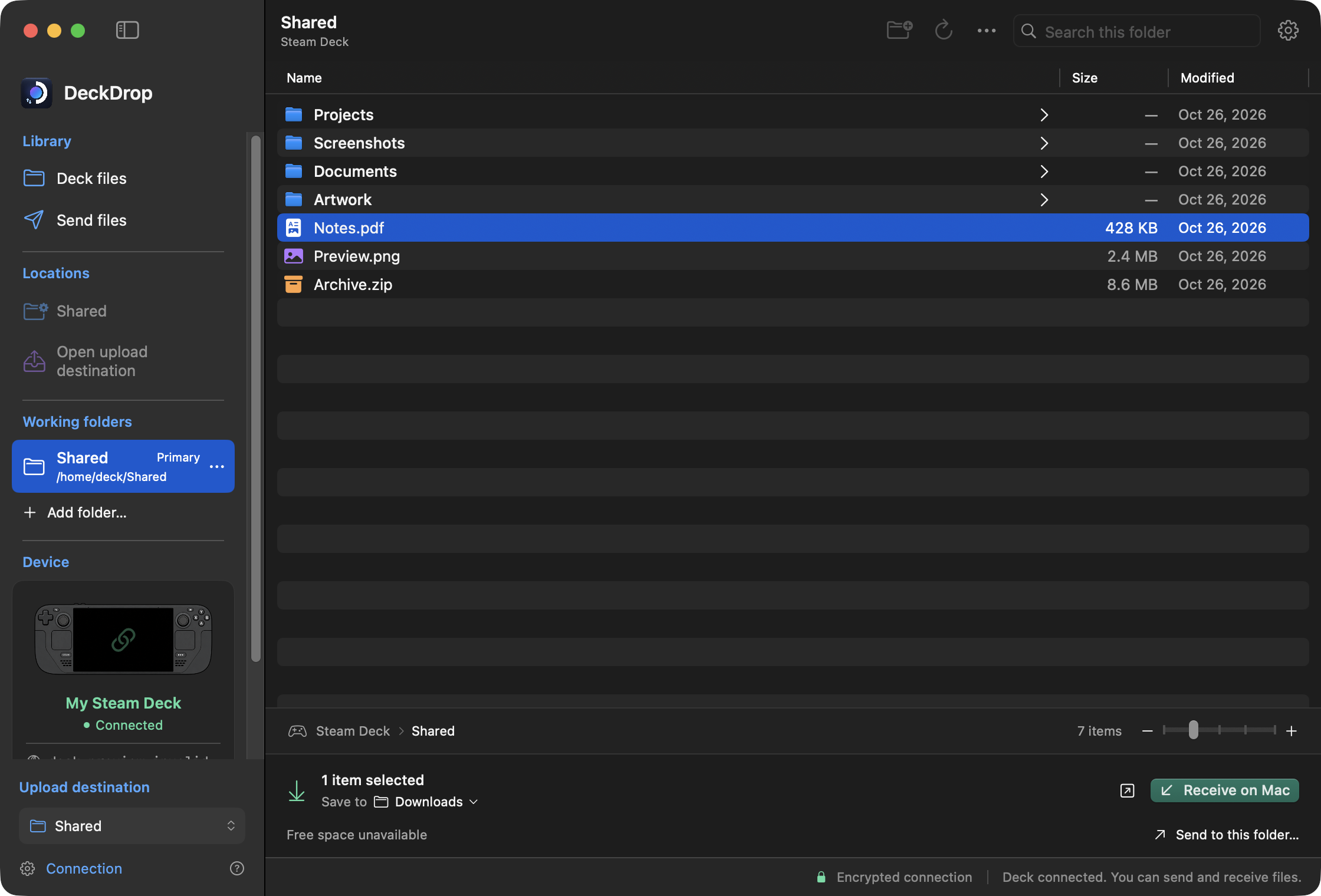
Browse the folders you authorise, search for a file, and choose what to bring back. Keep useful locations close, including folders on a mounted microSD card.
 DeckMove
MADE FOR MAC + STEAM DECK
A little less setup. A lot more playing. Send files to your Steam Deck and bring them back, right from your Mac.
A native Mac app. Transfers over your local network.
Development interface · demo data and states
Mac to Deck. And back again.
One familiar place for the files on both sides.YOUR FILES, WITHIN REACH
Artwork, screenshots, documents, whole folders. Get them where you want them without passing them through the cloud.
Browse the folders you authorise, search for a file, and choose what to bring back. Keep useful locations close, including folders on a mounted microSD card.
Drag files and folders from Finder into DeckMove. Check the destination and your queue, then start the transfer when you are ready. Your originals stay where they are.
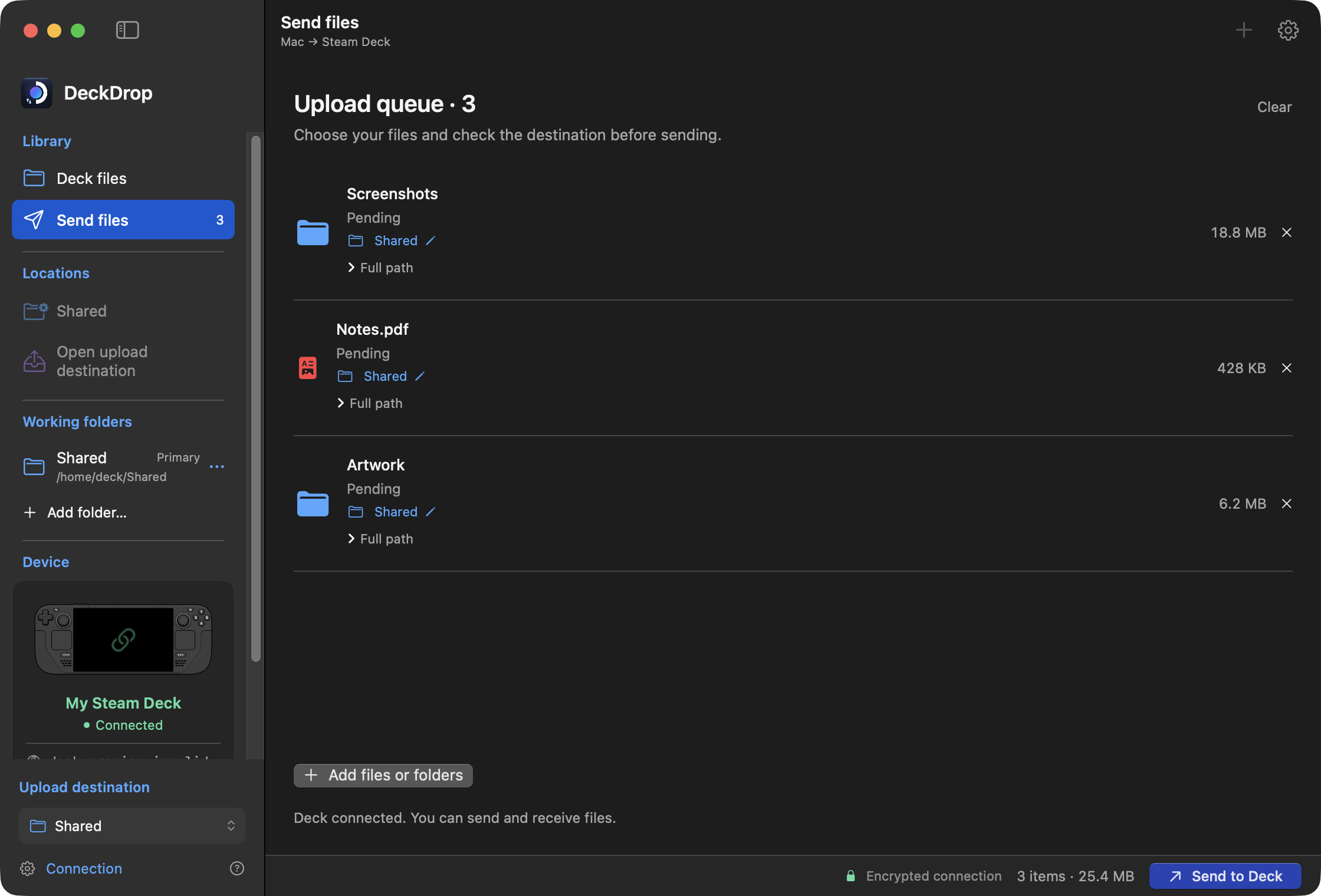
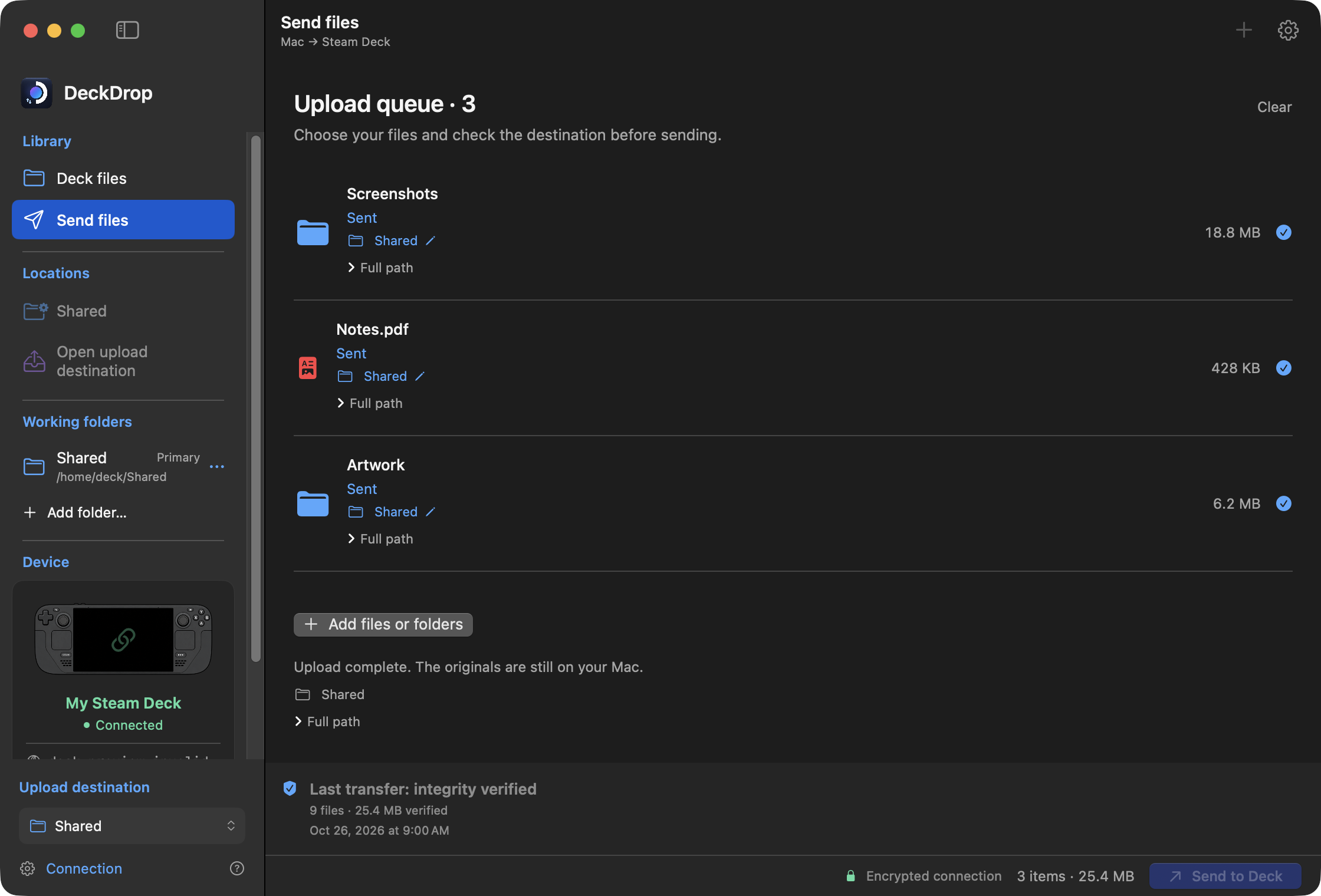
DeckMove checks copied file contents with SHA-256 before marking them complete. For folders, it also checks the supported structure and file sizes.
THE DETAILS MAKE THE DIFFERENCE
Pause a transfer and continue later. After a connection drops, DeckMove can reconnect and resume active copies. Reopened queues wait for your go-ahead.
Your files travel between your Mac and Deck using encrypted SFTP. No cloud storage or DeckMove account is needed to transfer them.
Copy files in either direction and keep folder structure. Originals stay in place, and new transfer batches avoid replacing existing files.
A GUIDED START
Start with your Mac and Steam Deck on the same local network. DeckMove walks you through the first connection.
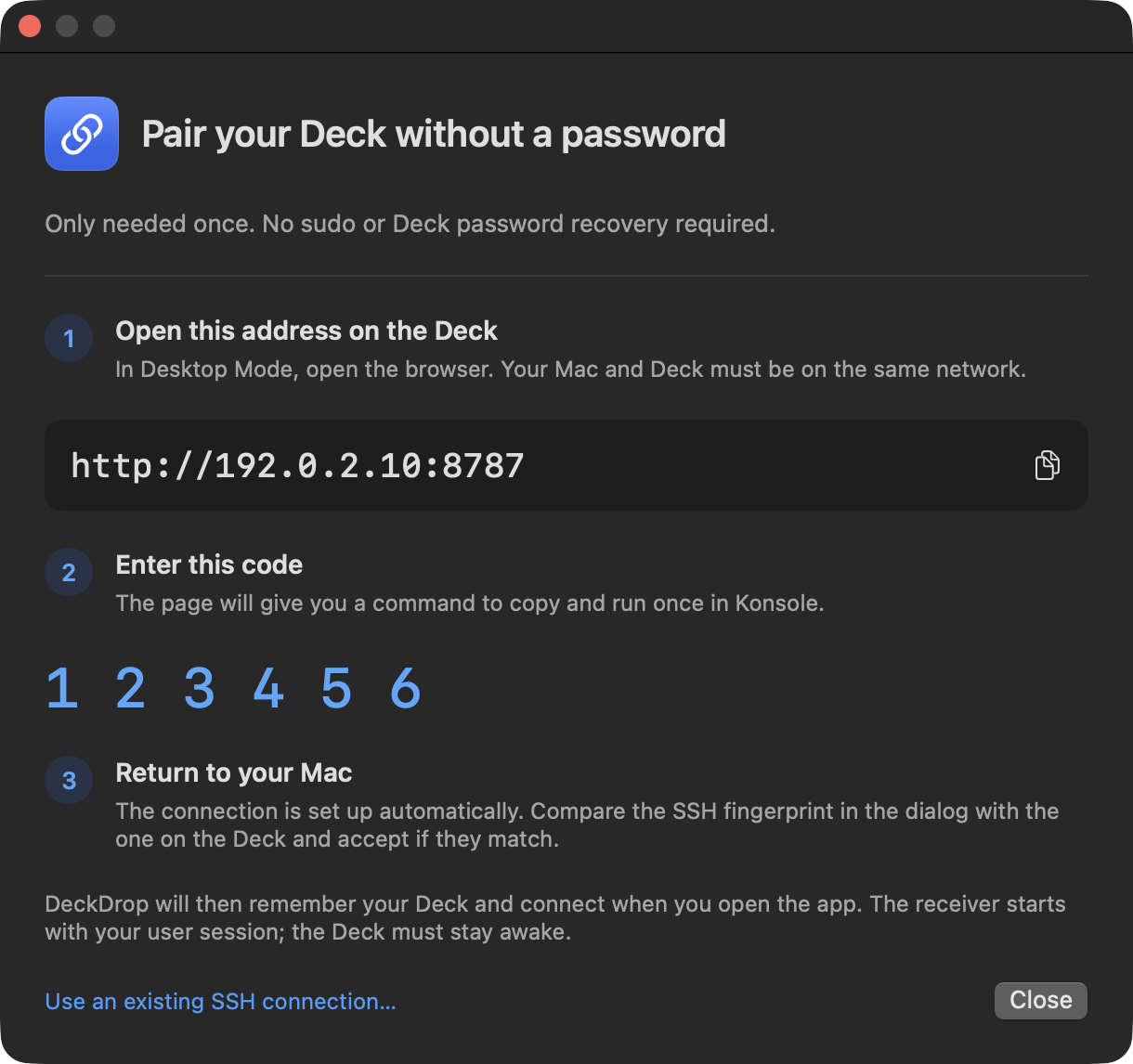
Start the connection assistant. It gives you a local web address and a temporary pairing code.
Switch to Desktop Mode. Open the local page, then review and run its setup command in Konsole. Compare the SSH fingerprint shown on both devices.
Authorise a specific folder on your Deck. Explore it, send your files, or bring a copy back to your Mac.
GOOD TO KNOW
DeckMove is in development. Distribution is planned through the Mac App Store. The store link, final system requirements and price will be added when confirmed.
No cable is needed for transfers. Your Mac and Steam Deck must be able to reach each other on the same local network. The Deck must be awake with its user session running. Files transfer directly using SFTP.
Yes. During the guided setup, you review and run a command in Konsole on your Deck in Desktop Mode. It prepares the SFTP receiver without sudo or changing the system SSH service.
Yes. Folder structure, including empty folders and hidden files, is copied. Links and special files are skipped with a notice. Do not change source files during a transfer.
You choose what to copy and when. DeckMove does not mount your Deck in Finder or automatically synchronise folders.
SHA-256 checks copied file contents. Folder copies also check supported structure and sizes. This does not certify preservation of permissions, timestamps, extended attributes, links or special files.
DeckMove for Mac. Built to bring your devices together.